Reviving a Zen Vision:M
Last year I revived an old MP3 player, but actually using it came with many challenges. Since then I have been developing a software solution to help manage the media I keep on it. This project was one part nostalgia, and one part reactionary hacking. I overcame challenges of using obsolete software, operating around old paradigms, and built a small window into a time long gone.
Background
During my late teens, I discovered a fascination with LaserDisc, and the odd blend of analog and digital technologies it housed. Since then I enjoyed learning about old tech and dead formats. It was inevitable that I would eventually tackle MP3 players. While MP3 isn’t exactly a dead format, Personal Media Players (as they are called these days) are a niche topic mostly followed by millennials like myself. You just had to be there.
Throughout my college years in the 2010s and into the 2020s, I was paying attention to the alarmist voices warning about using technology you don’t own. If a thing you bought can be taken away from you by someone who needs only to flip a switch, or terminate a service, you don’t actually own it. My music collection is a prime example of such things, but the principle goes beyond simply my music.
Ownership and Preservation
I experienced the cost of non-ownership in 2014 when Battlefield 2142 died because it relied on GameSpy, a now defunct matchmaking middleware service. Many times since, I have been inconvenienced by termination of cloud software like Google Play Music, and buggy experiences like Amazon Prime Music, which I abandoned because it couldn’t maintain a playlist for more than two months; Playlists would decay over time for what I suspect are licensing reasons. The songs would still be available, but the specific tracks I added to playlists would be ”unplayable”.
King Solomon would say that cloud services are vanity, like grasping at the wind. If the data isn’t stored in your home, on media you own, then what you have is ethereal. It can disappear at any time, and you can’t control that because you don’t own the servers keeping the data. Solomon would also say the hard drives, like all worldly possessions, are vanity, so be wise, and enjoy what you have while you have it.
What do I actually own? It’s the CDs, DVDs, Blu-Ray Discs, DRM-free games I bought from GOG.com, the physical hardware to access them. Those are mine, stored in my home. I go to a room, a shelf, or a desk whenever I wish to access them.
Digital reproduction of my physical possessions is a powerful method for preserving them. The less they are touched, the longer they should last. I keep my entire music collection in digital form on a network drive, while the CDs are kept safely in plastic tubs that fit them perfectly. I can access my music from any PC, TV, Smartphone, or Tablet in my home, and I do so very often. There are also many tools for backing up DVDs and Blu-Rays, if you know where to look, but those are troubled waters, so let’s move on.
Smartphones Are a Compromised Solution
My smartphone has all the elements of a great media player; it has a high definition display, great sound, bluetooth support, internet, and apps, but it has disruptive notifications and limited space, so it’s not a great option. I aggressively disable notifications for 90% of the apps on my phone, but the rest are still riddled with inane time-sucks, and accidental activations are a frequent disruption.
Limited Space?
Just as smartphone storage grew large enough to hold EVERYTHING for us, the Operating Systems and apps swelled up to fill them with rarely used fluff, and our cameras got more pixels. It’s worse now because typical devices don’t accept SD cards (an extra TB would really help). Unless you venture into the more obscure smartphones, like maybe Sony Xperia or some niche devices from Unihertz. Even so, Android won’t help you take advantage of the extra space without express intent. It’s not even a possibility for iPhones. Modern devices insist you offload to a preferred cloud service, and that has been the pattern for at least ten years.
Touchscreens Are a Problem
I LOATHE touchscreens with a fiery passion. They treat accidental activations as intentional, and when smartphones got biometric locks like under-screen fingerprint sensors and facial recognition, it got worse. I’m often startled by an obnoxious short-form video because I accidentally touched a notification. This usually happens when I’m trying to be quiet.
Smartphones aren’t the only compromised solution. All other modern devices share identical or equivalent compromises; Smart TVs spy on you, Tablets are just big smartphones with all the same drawbacks, and PCs are less portable. I need a dedicated device to play the music I care enough to own, and my favorite podcasts. I need it to operate without disruptions while I work. Luckily, the ideal device was made decades ago.
Looking to the Past
What do I need for listening to music these days?
- Compact. It should fit into a pocket or bag.
- Large Storage. It should fit all my favorite music.
- Good Sound Quality. FLAC playback is cool, but the vast majority of people can’t tell the difference between FLAC and a mid-spec MP3. I just need crisp, clean sound.
I needed a dedicated device for music, so I dug out my old friend from my teenage years, a Creative Zen Nano Plus, with 1GB of storage. It’s tiny, and a fantastic device. If you feed it with a max-spec MP3, it absolutely sings! I connected my best headphones to it and entered musical nirvana. But 1GB fills quick at 240-320kbps. I managed to fit about 8 albums.
 (Mine looks far rougher than this. Image by Srudes2 at English Wikipedia, Public domain, via Wikimedia Commons)
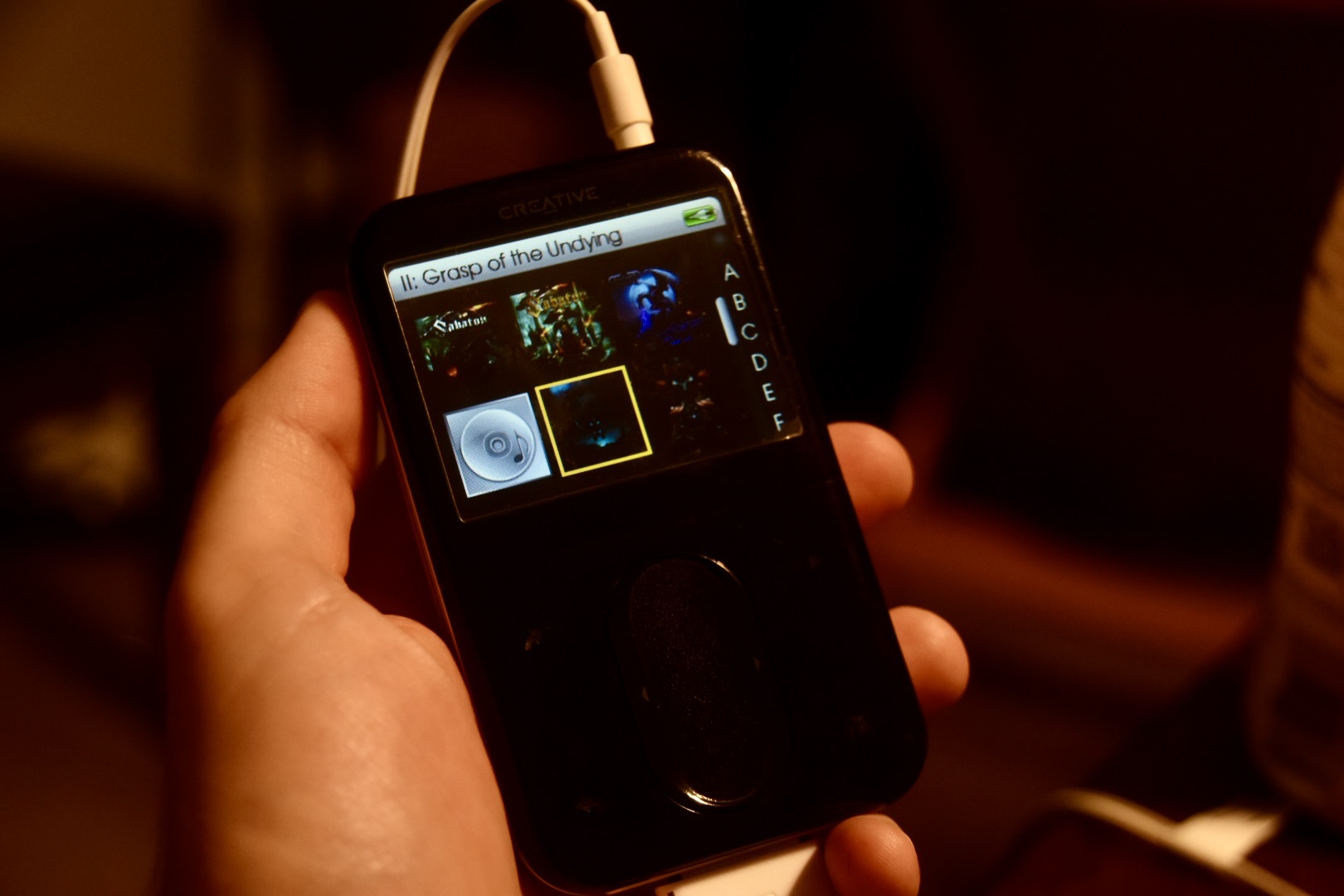
Upon realizing my beloved MP3 player wasn’t up to the task anymore, I knew it was time to consider the more elite devices from the past. Obviously, iPod was a consideration, but (at the time) I wasn’t an Apple customer, and so it wasn’t intrinsically interesting to me. I recalled my time as a teen, lusting over an ad for the Zen Vision:M. It had 30GB of storage and the ability to play freakin’ movies! I wanted it, but I wanted computer games and parts more, so I never got one. The thought of acquiring and using that player was nostalgic for me, so I started looking.
I did some research through Google and YouTube, where I learned about the iFlash, and the niche market it serves for people like me, though it’s primarily targeted at iPods. Luckily for me, they work with any DAP that uses tiny IDE drives, so I bought one and acquired a Zen Vision:M from eBay. I also bought a new battery, and 512GB SD card.
Reviving My Zen Vision:M
See the footnotes to find high-value resources for the Zen Vision:M, like firmware update software.
Firmware
Captain Williams has a good guide for flashing (see links in footnotes). After installing new storage media, You MUST flash your Zen with model-appropriate firmware. DVP-HD0004 firmware will NOT work for DVP-HD0003 devices.
Charge and Sync Cables
My ZVM came with two adapters: the standard 30-Pin USB/DC/AV-Out adapter, and the Dock (same connections) but I was paranoid about functionality, so I also scooped up a cheap 30 Pin Cable on eBay, which works, but is not ideal. The player usually can’t play any media while connected by such a cable to a PC. Perhaps try a power adapter for playback while charging. I discovered that Macs are slightly kinder in this regard, since they don’t open MTP devices natively.
Battery Replacement
Even in 2005, companies were serializing hardware and locking it down. My replacement battery didn’t work, not because it was defective, but because Creative Labs decided that their device could only charge if a specific battery controller was present. So I had to chop up a perfectly new chinesium LiPO battery and solder the old controller to it. That was terrifying! I took my soldering iron outside as a precaution.
(Don’t mess with Li-Ion/Li-PO batteries unless you know how to safely handle them.)
Storage Upgrade
After flashing, my ZVM only recognized 130 GB on my 512 GB Micro SD card, which I suspect is a firmware limitation (not confirmed). I reallocated that card for more significant work and used four (max supported by iFlash Quad) identical 32 GB Micro SD cards, which got me a total of 128 GB. If you get an iFlash, make sure you get the tiny IDE ribbon adapter.
Side Note: NOT EVERY ZVM CAN USE iFlash. During my struggles with my ZVM, I wondered if my unit was a dud (it wasn’t), so I bought a second one and discovered my iFlash wouldn’t help it at all. It used a straight IDE interface compatible with Compact Flash Cards (no ribbon cable). I plan to equip that one with a CF adapter for SD cards.IDE->Compact Flash->SD Card->Micro SD
Running the Gauntlet — Syncing
Syncing is broken everywhere. Windows XP, 10, Linux, Creative Media Center, Windows Media Player, Media Monkey, Strawberry, Rhythmbox, Gnomad2, all broken. Gnomad2 was closest, but fragile. It only synced to devices after factory reset and got stuck on titles with special chars. WMP skipped tracks for no good reason. MTP access in file explorers is data mode only, which means that no metadata gets sent to the device, and thus, the tracks don’t appear in the device’s menus. Sure, maybe your tracks have ID3 metadata packed into the file itself, but the ZVM doesn’t care about ID3 tags, it just won’t read them. Audio MUST be sent through MTP as a track with relevant metadata, or the device won’t show it in the menus.
Maybe The Good Old Days weren’t so good. It seems old DRM schemes were always finicky, and will continue to plague us for years to come. In fact, I may have regretted buying this thing as a teen. I have encountered so many speed bumps!
Building a Custom Solution
Having exhausted my options with existing applications, I started exploring the LibMTP tools in my command line. They worked super well!
With a working sync path found, I greased up my Python skills and got to work building a basic script to call LibMTP’s mtp-sendtr. That allowed me to use my ZVM, but I wanted to take advantage of all its features.
I started experimenting with PyMTP. That got me as far as fetching diagnostics and library info from the player, but it hit a SEGFAULT every time I tried to send a track. I stepped back and incorporated the system call I developed before to use the command-line implementation mtp-sendtr. Still, I wanted to take my FLAC library and dynamically convert to MP3 and sync. I used Mutagen to read MP3 properties and ID3 tags, and built a script to copy my music collection to the device. It was crude and incomplete, but it satisfied my minimum requirements, though I couldn’t just leave it at that.
I built a whole Python GUI app around that script to help me get my music into the player more conveniently. I got as far as syncing most of my library, but I was plagued with random failures to sync, which would freeze my program. I decided those tracks weren’t important enough to bother with and moved on. Life got busy and I stopped working on it for a while, but every now and then, I poked at the problem again. I got a few more failing tracks to sync, but I wasn’t diligent or dedicated enough to document what was different. Nothing really changed.
PyMTP has been unsupported for a long time, and I don’t blame the authors and supporters for abandoning it. Honestly, what kind of dingleberry would be using that in 2025, when we have Spotify and Apple Music? Anyway, I had a suspicion that its age was a factor in the breakages, but just enough was working that I convinced myself I was doing it right. Then I struggled to find the time to sit down and study PyMTP, and little progress was made.
Leveraging New Tech to Revive Old Tech
My workplace gave me the opportunity to learn the best ways to leverage AI for programming work. It was only a matter of time before I directed that knowledge at my own project. Something that has worked well for me is to establish a pattern the AI can extend. If you build a CRUD interface, the AI will easily pick up the pattern and use it in other areas.
For my needs, Grok was the best choice and I put it to work. I needed rich logging, so I added some dense log entries to the program and instructed Grok to add the same kind of logging to the rest of my program. With that richer logging, I could test my program and get high-fidelity feedback to expose underlying issues. Thus, I discovered that the filetype enums which existed when PyMTP was written were now off by one. That unlocked the whole library for me.
I Present to You, MtpManager
 I built a foundation of core functionality with a GUI to smooth out the process, then leveraged AI to refine and expand it. I reworked the GUI and made it into the sort of app I had hoped to find when I started this adventure. It handles music, video, podcasts, and even has playlist support. It can fetch music out of your device and organize it in your library (if it’s organized like
 Albumartist->Album->Track). It supports device profiles, but my ZVM is the only MTP device I own, besides an old Android phone.
You can find it on my GitHub. If you like it, give it a star. It works for Linux and Mac OS (sorry Windows users, I have something else in the works). If you think it needs a profile for your specific device, create an issue, and let’s make it more complete.
I plan to revisit this app from time to time, but it’s in a good state, and provides most of the value I want from it.
Some ideas for future updates:
- Android MTP Profile.
- Mass Storage Device profile.
- Photo Library support. (This one terrifies me.)
- Calendar sync (What year is this, 2006?)
- Replace PyMTP with a new LibMTP Wrapper.
Conclusion
Was this necessary? No, not in the slightest. I still doom scroll and watch YouTube on my smartphone, but this software gives me the option to access my digital library without interruption, and to do so in a way that brings me joy.
I started this adventure more than a year ago, but now I have an application I can rely on to load and organize media on my old, nostalgic MP3 player. It covers all my use cases, and will allow me to experience once again a time when my favorite songs weren’t interrupted by email notifications.
Footnotes
This is the most significant reading and viewing I explored:
Comments
comments powered by Disqus